AI Document Parsing
Extract benefit data from PDFs, Excel files, and images automatically — verified against the source, with anything uncertain flagged instead of guessed.
Why AI Document Parsing?
Automated Intake
Census files, invoices, benefit summaries, and carrier quotes are parsed and standardized automatically.
Verified Against the Source
Every extracted field is checked against the original PDF, and anything Planlined is unsure of is flagged instead of guessed.
Multiple Formats
Supports PDF, Excel (.xlsx, .xls), CSV, Word, PowerPoint, and most image formats (PNG, JPG).
OCR for Images
Paste screenshots or images directly—Planlined extracts plan details and maps them into your comparison.
Error Prevention
Built-in validation flags missing fields and discrepancies before clients see them.
Named Carrier Readers
Purpose-built readers for Aetna, UnitedHealthcare, Florida Blue, ADP TotalSource, Paychex, Benefitter and the major ancillary carriers, plus a general reader for every other document.
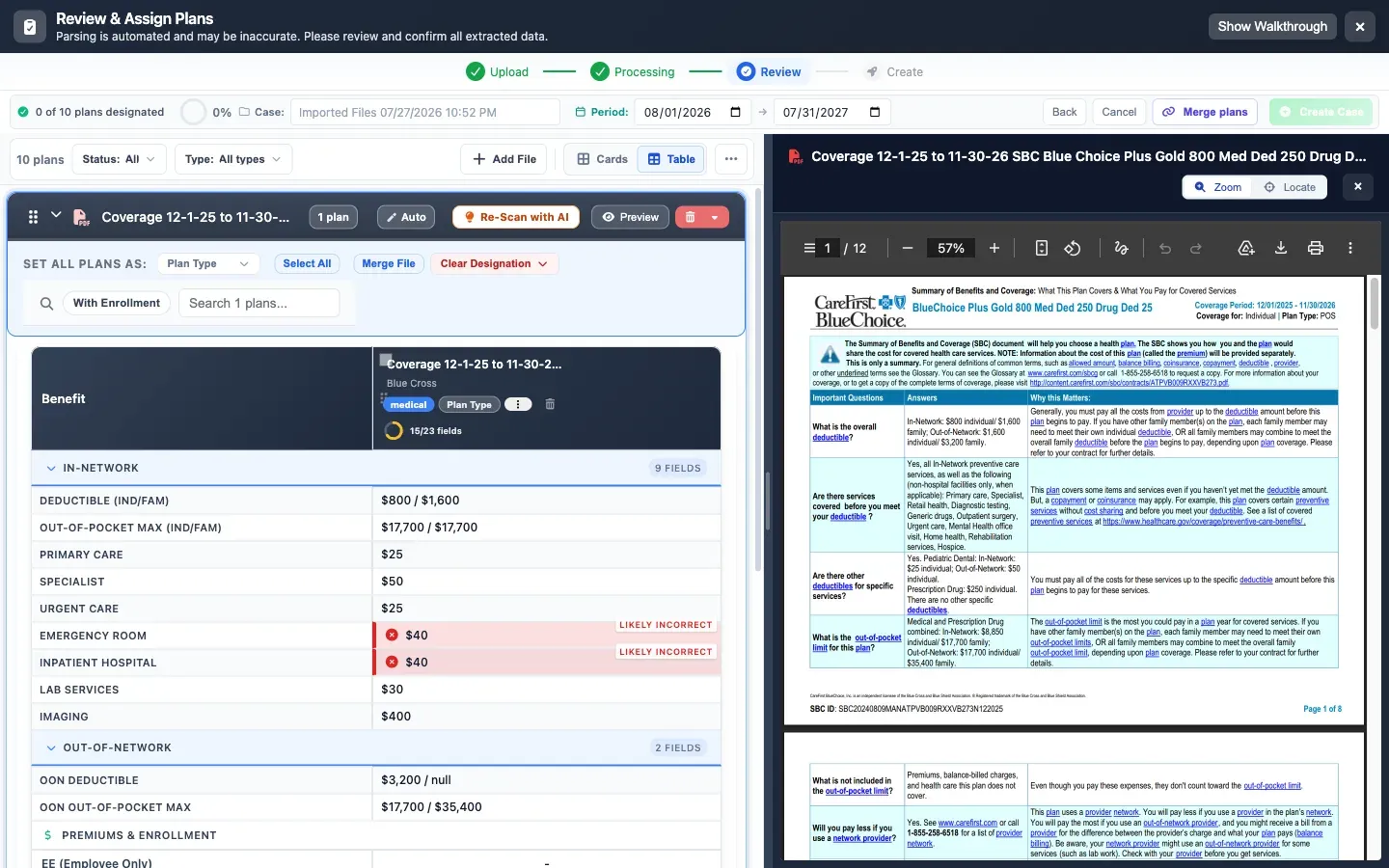
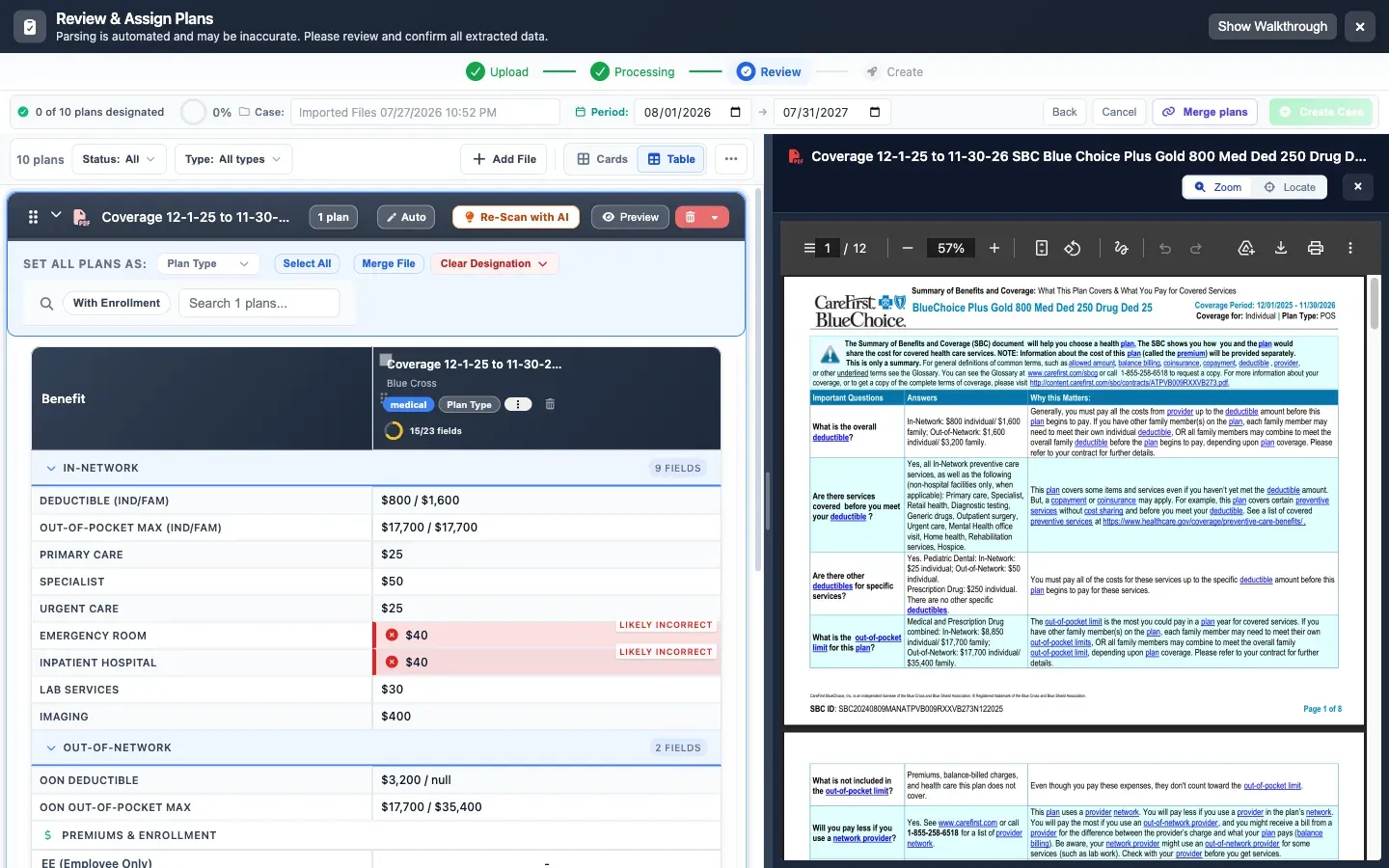
Every number, next to the page it came from.
Planlined shows the extracted fields beside the original PDF, so you check the work instead of taking it on faith — and it flags the values it is unsure about rather than quietly guessing.
Named readers for the sources brokers see most. A general reader for the rest.
Planlined ships purpose-built readers for specific carrier, PEO and payroll document formats, and a general reader backed by Google Cloud Document AI for everything else. Every extracted value is shown beside its source page; uncertain values are flagged rather than guessed.
Aetna Funding Advantage and level-funded quotes.
Quotes and invoices, including plan-code families.
Blue Cross Blue Shield of Florida rate sheets and quotes.
Dental, vision, life, STD and LTD proposals through one ancillary reader.
PEO proposals and renewal packets.
Paychex and Aura rate sheets and quote comparisons.
Benefitter quote exports.
SBCs, quotes, rate sheets, invoices and benefit summaries from any other carrier go through the Document AI reader, then the same verification screen.
Accepted files, up to 50 MB each
Do not see your carrier? Upload the document anyway. The general reader handles it, and you verify the result against the source page before it reaches a client.
Six steps, about ninety seconds.
- 01
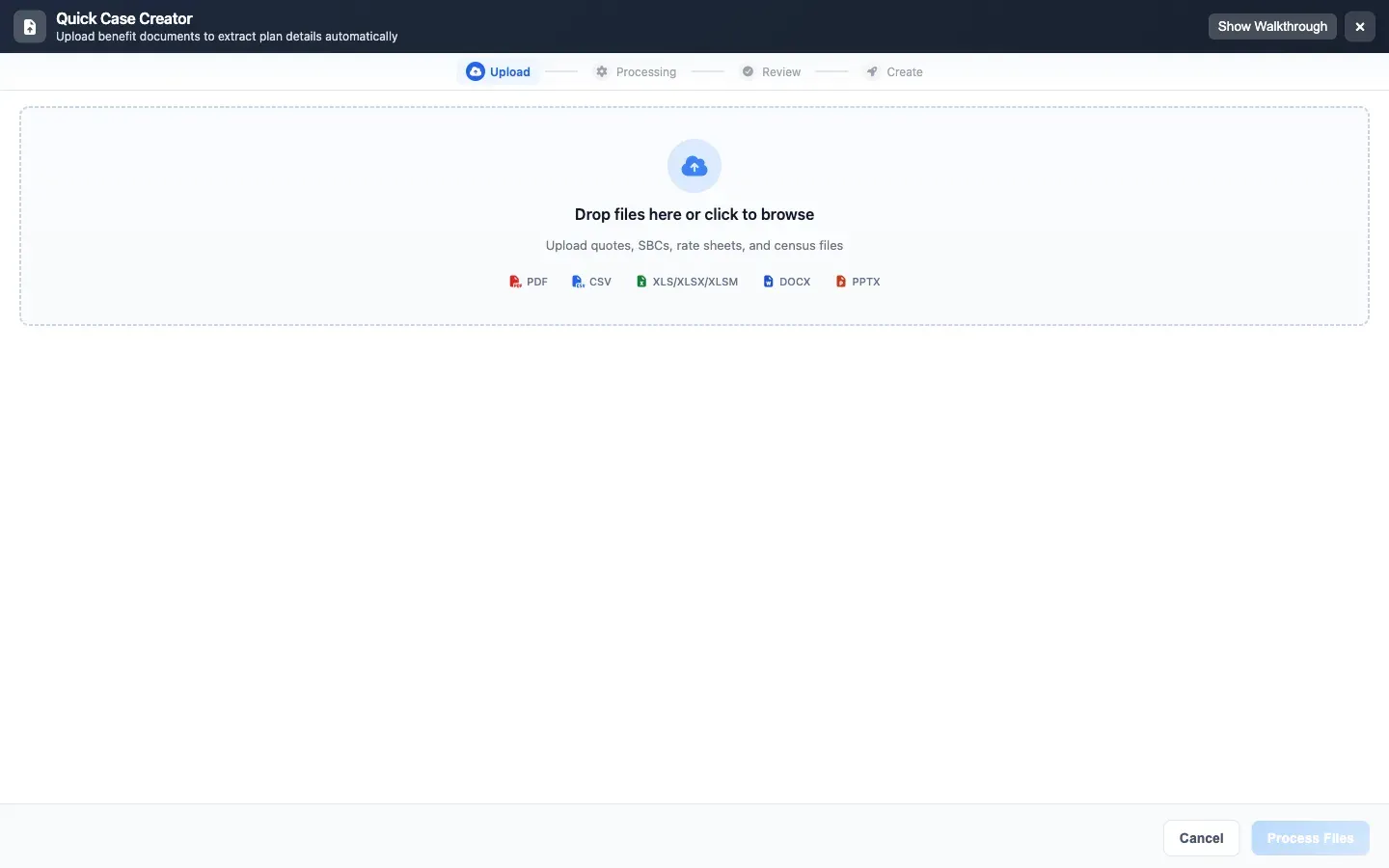
Drop the documents in
SBCs, quotes, rate sheets, census files — PDF, Excel, Word or CSV.
- 02
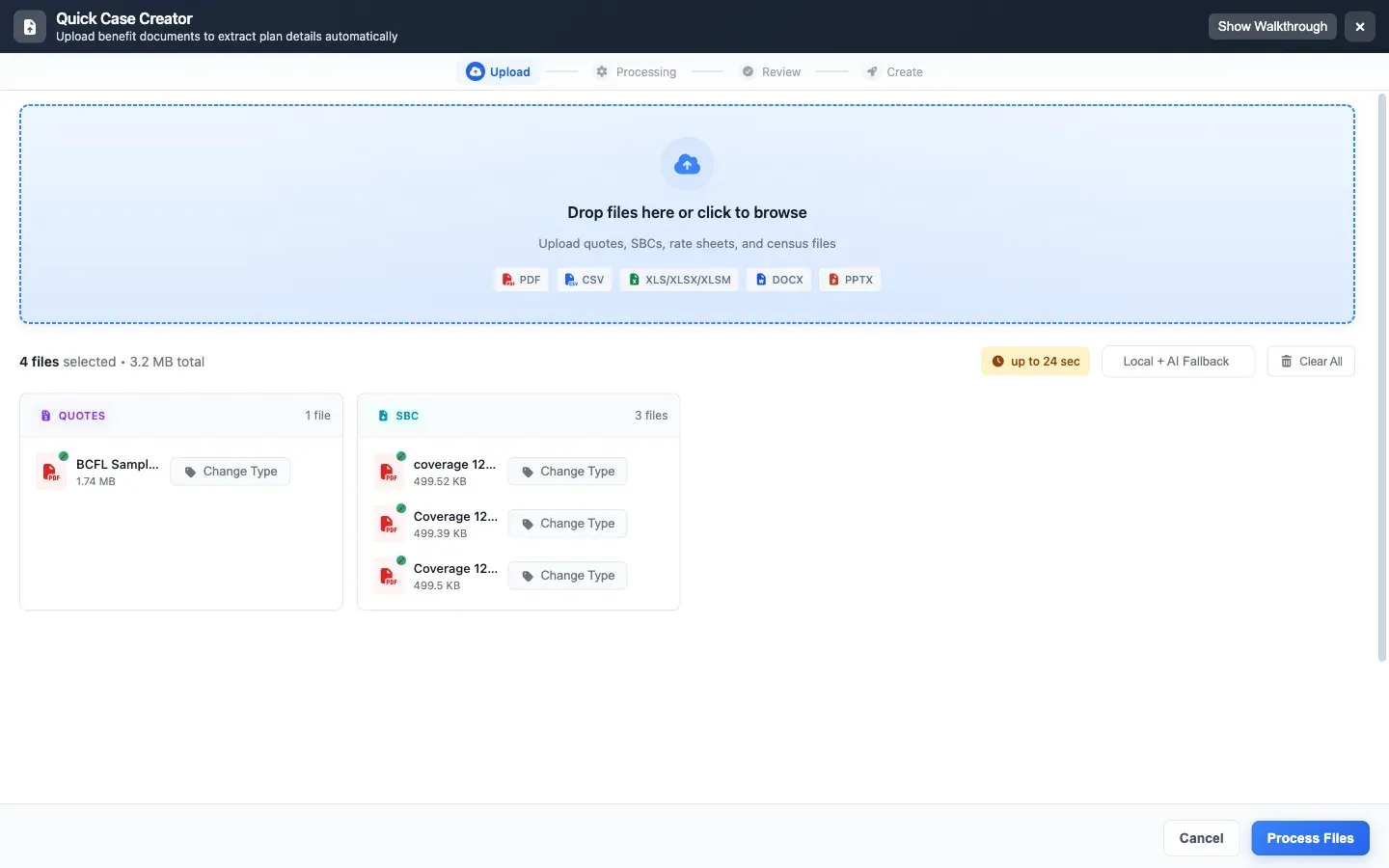
Planlined sorts them for you
Each file is classified by type before anything is parsed, so a quote is not read like an SBC.
- 03
Extraction runs
Deductibles, out-of-pocket maximums, copays and rates are pulled out in parallel.
- 04
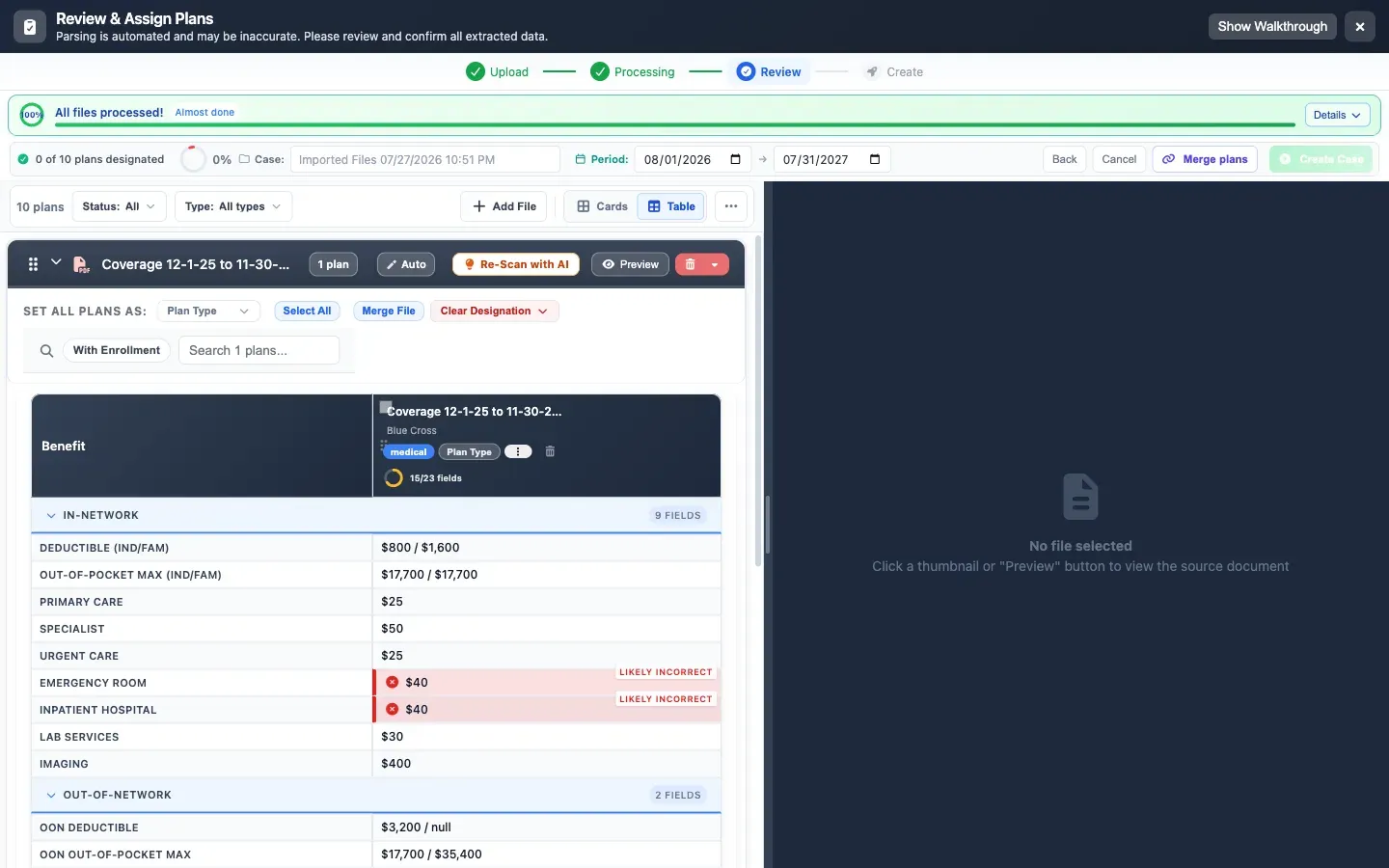
Check it against the source
Fields sit beside the original page. Anything Planlined is unsure of is flagged, not hidden.
- 05
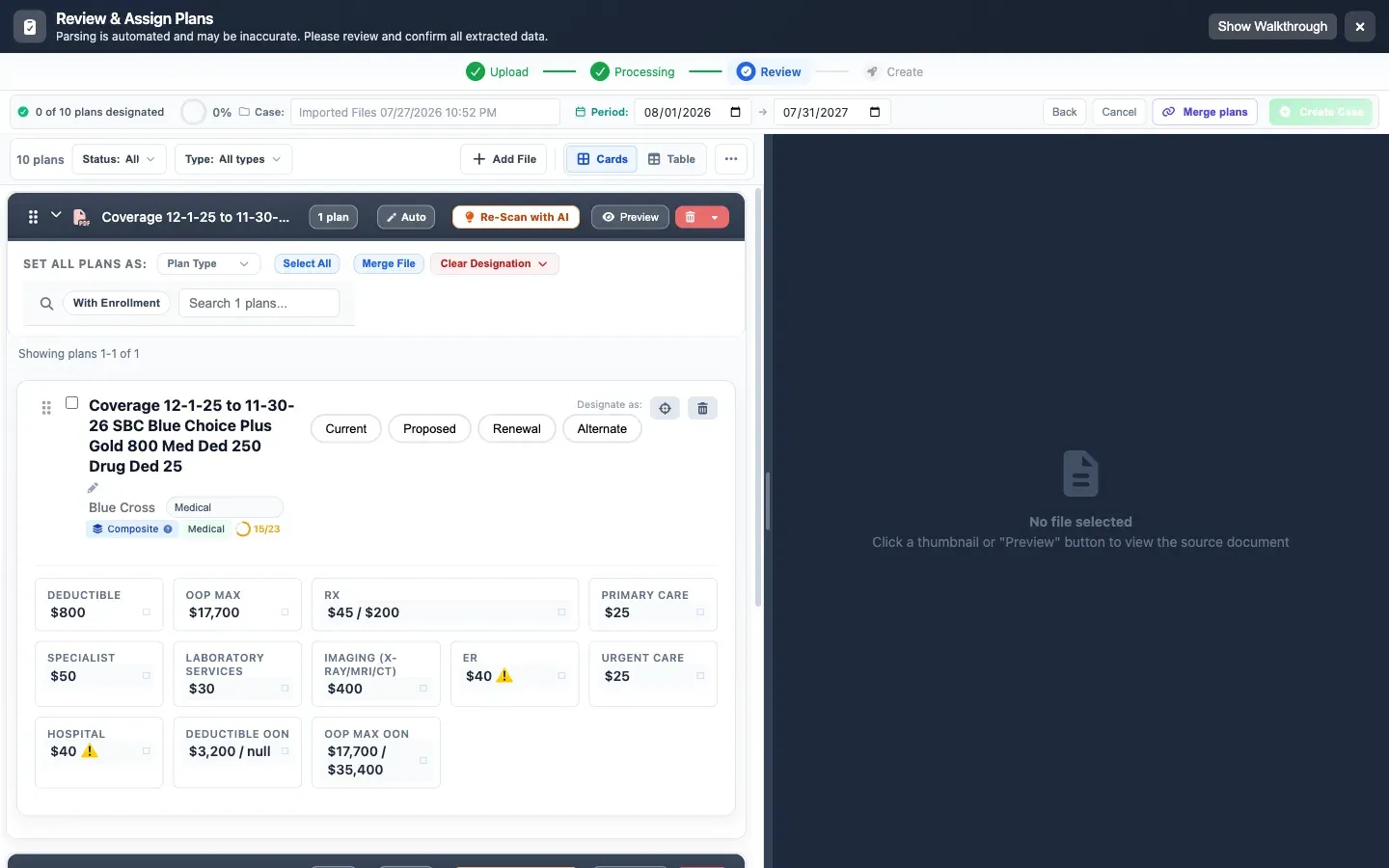
Plans, not documents
What was four PDFs is now structured plans you can compare and edit.
- 06
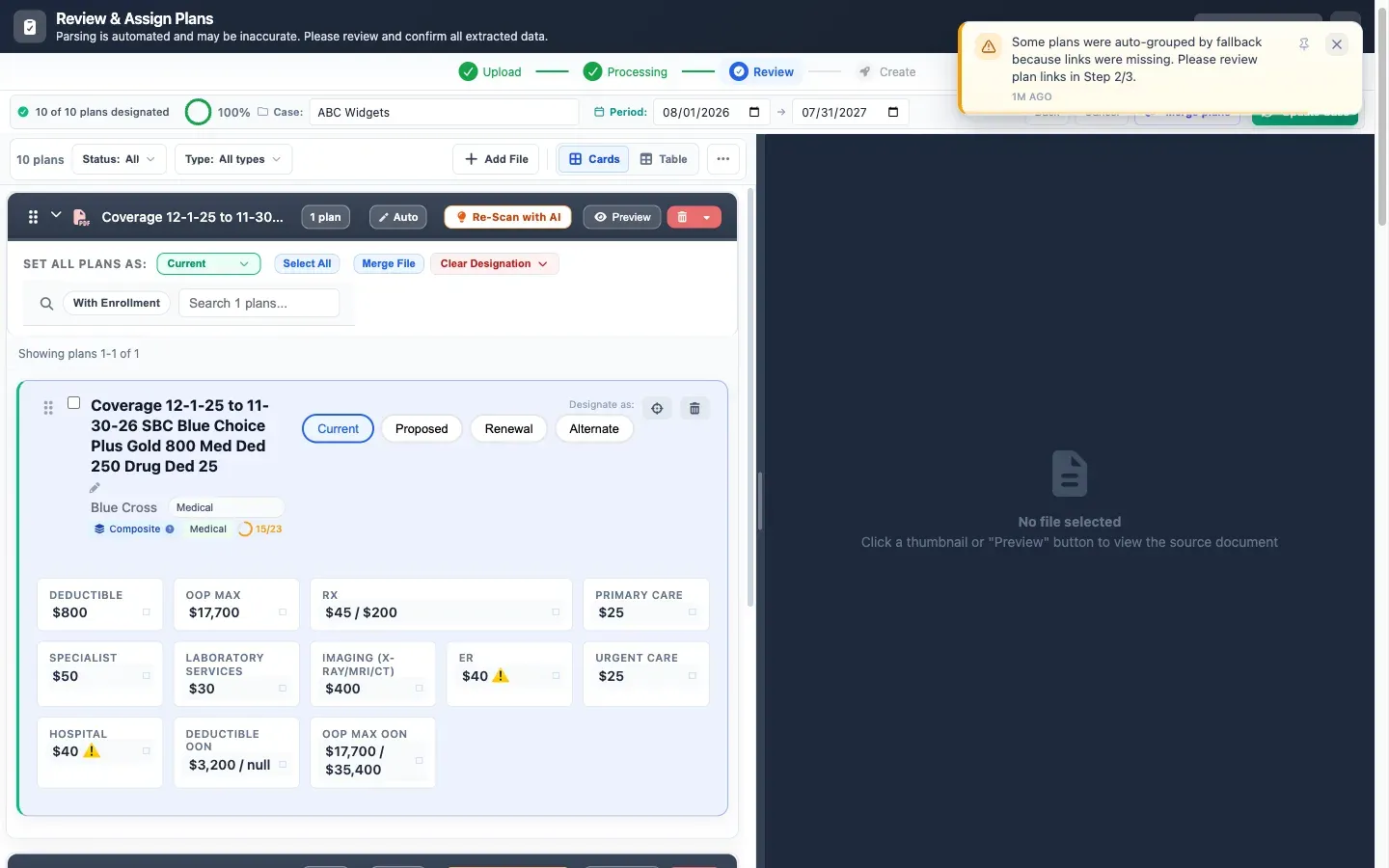
Say what each one is
Mark current, proposed and alternates — then the case is ready to build.
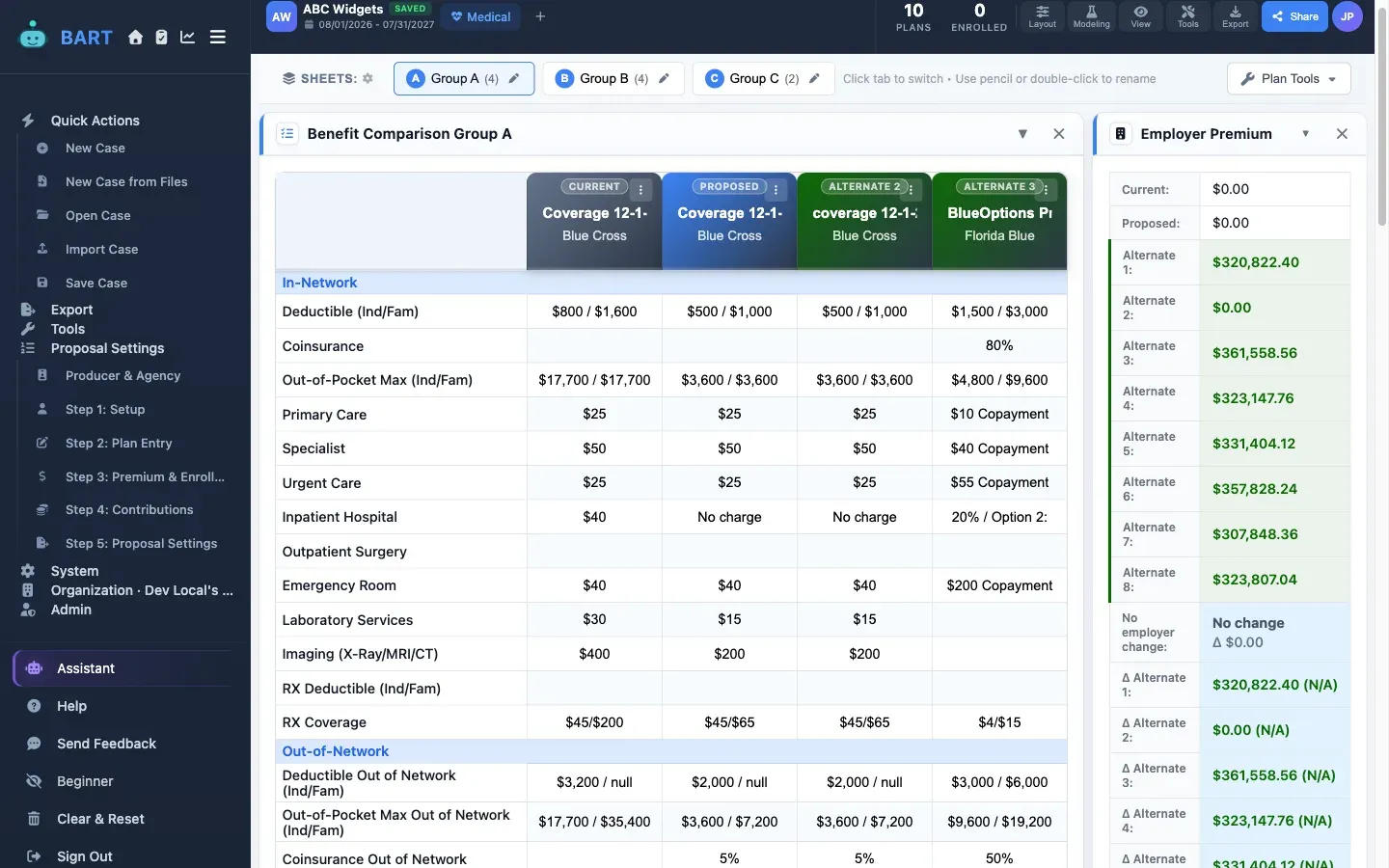
Four documents in. One comparison out.
Four carrier documents across two carriers become ten plans in one comparison, organized into three benefit groups — deductibles, out-of-pocket maximums, and copays lined up in-network and out for every plan. Wherever the source paperwork includes rates, the annual premiums land in the same view — $320,822.40, $361,558.56, $323,147.76 — so the quoted cost sits right next to the parsed coverage, not in a separate spreadsheet.
Ready to Try This Feature?
Start your free proposal today and see the difference.
✓ No credit card required • ✓ First proposal free • ✓ Cancel anytime